
Consolidating sales team tools should remove duplicate work, not just duplicate invoices. Two platforms can advertise the same feature while serving different teams, handling different exceptions or storing information that cannot be recreated elsewhere. Canceling one without checking those dependencies can turn a software saving into missed follow-ups and broken reporting.
Use this checklist before a renewal, platform migration or budget review. It is designed for sales leaders and revenue operations teams that already have a working stack and need to decide what to keep, combine or retire. The goal is a smaller operational footprint with reliable workflows, clear ownership and measurable savings.
1. Build an inventory with accountable owners
Start with contracts, accounts payable records, single sign-on applications and team expense reports. Ask managers about tools purchased outside the central procurement process. Include browser extensions, enrichment credits, scheduling subscriptions and paid integrations, not just the platforms with the largest invoices.
For each application, record its business owner, administrator, renewal date, cancellation deadline, license count and contractual minimum. Separate purchased seats from assigned seats and assigned seats from people who actually perform a useful task in the product.
An inventory of sales team tools also needs operational context: which teams depend on each application, what data it holds and which systems it reads from or writes to. A cheap connector can support a critical workflow, while an expensive platform may have only one remaining use.
Capture annual commitments even when invoices arrive monthly. Note whether removing seats reduces the bill immediately, at renewal or not at all during the current term. Otherwise, projected savings may arrive much later than expected.
Completion check: Every paid application has a named owner, a known cancellation deadline and a documented purpose. Mark unknown dependencies for investigation rather than assuming they do not exist.
2. Map overlap by workflow, not feature labels
Vendors use broad labels such as automation, intelligence and engagement. Those labels are poor evidence of duplication. Compare the work each application performs from the initial trigger to the final record update.
For every workflow, identify the input, decision, action, output and owner. Then ask whether two applications perform the same action on the same prospect at the same stage.
- Workflow: Prospecting and enrichment — Possible overlap to investigate: Multiple providers supplying the same fields — Dependency to protect: Coverage, provenance and permitted use
- Workflow: Website conversations — Possible overlap to investigate: Chat, qualification and lead capture — Dependency to protect: Conversation context and escalation
- Workflow: Outreach and follow-up — Possible overlap to investigate: Sequences triggered in multiple platforms — Dependency to protect: Suppression rules and account ownership
- Workflow: Meeting booking — Possible overlap to investigate: Standalone scheduling and embedded calendars — Dependency to protect: Routing, availability and rescheduling
- Workflow: CRM management — Possible overlap to investigate: Duplicate contact creation or field updates — Dependency to protect: Authoritative records and lifecycle stages
- Workflow: Coaching and reporting — Possible overlap to investigate: Repeated transcription, summaries or dashboards — Dependency to protect: Recording permissions and metric definitions
The useful question is not whether sales team tools share a feature. It is whether one can take over another's production responsibilities without losing a required capability.
For example, an embedded scheduler might replace a simple booking link but fail to support a specialist team's routing exceptions. Conversely, two follow-up engines may genuinely duplicate the same outreach and create a buyer-facing problem.
Completion check: Each suspected overlap has a specific workflow attached to it, including exceptions and downstream dependencies.
3. Verify actual usage before removing capability
Login counts are a starting point, not a retirement decision. A forecasting application used weekly may be essential. A prospecting extension opened daily may contribute little if its data never reaches an accepted opportunity.
Choose an observation period that includes the workflow's normal operating cycle. Review completed actions such as accepted enrichment results, held meetings, approved forecasts or briefs used by reps. Distinguish passive activity from work that produces an output someone needs.
When reviewing sales team tools, ask frontline users to demonstrate the task they would lose if an application disappeared. Watch the actual steps, including spreadsheets and manual workarounds. This often reveals that the proposed replacement technically supports a function but takes more effort to use.
Nudge's guide to choosing sales software around rep adoption offers a useful framework for evaluating that effort. For consolidation, apply the same principle in reverse: do not remove a tool until you understand why people rely on it.
Also investigate low usage before drawing conclusions. It may reflect unnecessary software, poor implementation, restricted permissions or a specialist role with infrequent but important tasks.
Completion check: Every retirement candidate has usage evidence, user feedback and a documented explanation of how its remaining work will be handled.
4. Compare total cost, including the transition
Subscription savings are only one part of the decision. Compare the cost of keeping the current setup with the cost of operating the consolidated setup over the same period.
Include licenses, usage charges, required add-ons, connectors, administration and support. For the transition, add migration work, training, contract termination charges where applicable and any period of parallel operation. Use consistent assumptions about headcount and transaction volume.
A hypothetical comparison illustrates why this matters:
- Cost category: Subscriptions, usage and add-ons — Current setup, annual: $53,000 — Consolidated setup, first year: $42,000
- Cost category: Ongoing administration — Current setup, annual: $6,000 — Consolidated setup, first year: $5,000
- Cost category: One-time migration and training — Current setup, annual: $0 — Consolidated setup, first year: $7,000
- Cost category: Temporary parallel operation — Current setup, annual: $0 — Consolidated setup, first year: $8,000
- Cost category: Total — Current setup, annual: $59,000 — Consolidated setup, first year: $62,000
In this example, consolidating sales team tools costs $3,000 more in the first year. Without the one-time transition costs, the new setup would cost $47,000 annually, assuming usage and pricing remain unchanged.
Keep cash savings separate from staff capacity. Reducing administrative work creates time, but it does not automatically reduce payroll. Likewise, do not assign a revenue benefit to faster response times unless you have evidence connecting that change to business results.
Completion check: Finance can reconcile the savings estimate to contract terms, transition costs and a realistic date when savings begin.
5. Assign a decision to each overlap
Avoid forcing every application into a simple keep-or-cancel choice. Some overlaps should be removed, some should be connected more carefully and some are justified.
Use four decision categories:
- Decision: Keep — Appropriate when: The application serves a necessary, distinct purpose — Evidence required: Workflow owner and demonstrated value
- Decision: Consolidate — Appropriate when: Another platform can absorb the work — Evidence required: Successful end-to-end replacement test
- Decision: Connect — Appropriate when: Applications serve different purposes but duplicate entry or updates — Evidence required: Clear data ownership and integration rules
- Decision: Retire — Appropriate when: No required workflow remains — Evidence required: Dependency review and retention plan
A shared feature is not enough to justify consolidation. The surviving platform must handle the relevant permissions, volume, exceptions and reporting requirements. Security or contractual requirements should be pass-or-fail conditions, not weaknesses that a strong feature score can offset.
For sales team tools with uncertain value, set a time-limited investigation rather than allowing an indefinite exception. Name the person who will resolve the uncertainty and the evidence they need to collect.
Also record the reason for keeping an overlap. A specialist team may need capabilities that the standard platform cannot support. Making that exception explicit prevents the same argument from restarting at every budget review.
Completion check: Every application has a proposed decision, an accountable approver and evidence supporting the recommendation.
6. Test data flows across sales team tools
An integration logo does not establish that a replacement will preserve your workflow. Test the exact records, fields, directions and events your team uses.
Create a small test set covering new leads, existing contacts, returning prospects, merged records and accounts with multiple stakeholders. Check what happens when ownership changes or an integration temporarily fails.
Pay particular attention to record identifiers and field authority. Decide which system owns account assignment, lifecycle stage, consent status and meeting disposition. A two-way sync without clear ownership can repeatedly overwrite valid information.
The same scrutiny applies to automation. If a webhook retries, does it create another task or another contact? If a lead already belongs to an account executive, can a new interaction accidentally route it elsewhere? Nudge's guide to evaluating B2B sales CRM workflows provides a useful basis for testing these operational exceptions.
Before committing, request an export and inspect it. Confirm that you can retrieve necessary records, conversation history, timestamps, relationships and source references in a usable format. A collection of disconnected files may be technically exportable but expensive to reconstruct.
Completion check: The replacement passes representative integration tests, data ownership is documented and a usable export has been verified. Unresolved failures have an owner and a resolution date.
7. Preserve context at every ownership change
A consolidation can preserve contact records while still losing the information that makes them useful. Buyer questions, objections, commitments and unanswered requests often live outside the CRM's standard fields.
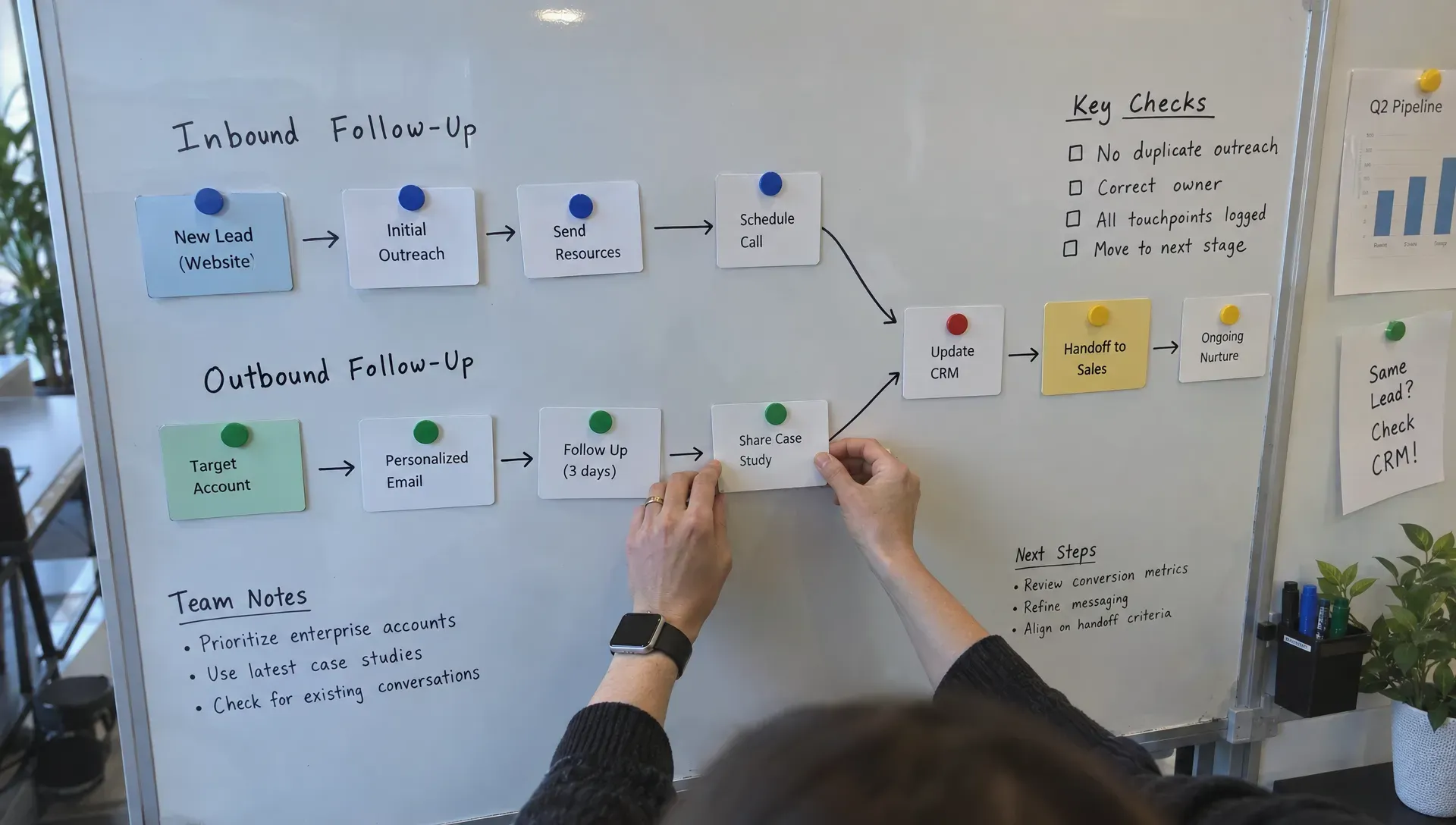
When consolidating sales team tools, define a minimum handoff record. It should identify the buyer and account, summarize the current need, preserve supporting evidence and specify the next action with an owner. Separate what the buyer actually said from an AI-generated interpretation or an internal assumption.
Test the full journey from website interaction to follow-up, meeting preparation and opportunity ownership. Where relevant, continue through the sales-to-delivery transition. A workflow is not complete merely because a meeting appears on a calendar.
For agencies, this boundary also affects scope and delivery expectations. A B2B agency handoff map is a useful reference for documenting what must travel from sales into delivery, including commitments and approval responsibilities.
Confirm that source material remains accessible to the receiving team. A summary that links to a canceled application or a recording the new owner cannot access is not a reliable handoff.
Completion check: A receiving rep or delivery owner can act on a test handoff without asking the previous owner to reconstruct the conversation.
8. Recheck privacy, permissions and AI data handling
Combining workflows can expand how much information one vendor holds and how many employees can access it. Treat that concentration as a new review, not as a continuation of the old approval.
Document the data entering the surviving platform, why it is needed and how long it should remain. Review administrator access, service accounts, subprocessors, deletion procedures and available access controls. Confirm whether access can be restricted to the roles that need it.
For AI-enabled sales team tools, ask whether customer data is used for model training, which settings govern that use and what the contract commits to. Verify how generated answers are grounded, how sources are retained and how a rep can inspect the evidence behind a summary.
Prospecting and visitor identification require separate care. Returning-visitor recognition should not be treated as verified personal identity. Suppression preferences and restrictions on outreach must survive migration and be enforced by every system that can send a message.
Have your legal or privacy owner confirm applicable notice, consent, recording and international transfer requirements. Those obligations depend on your activities and jurisdictions, not simply on a vendor's compliance badge.
Completion check: Security and privacy owners approve the new data flows, permissions and retention arrangements before production data is moved.
9. Pilot the replacement against business outcomes
Run a bounded pilot before broad migration. Choose a representative team or segment, document the existing process and set acceptance criteria before seeing the results.
Include normal cases and failure cases. A successful booking matters, but so does what happens when no rep is available, a prospect opts out, a calendar disconnects or an existing customer submits a sales inquiry.
Measure outcomes with clear denominators. Useful measures include qualified meetings held per eligible inquiry, duplicate records per imported record and manual corrections per completed workflow. Track the time reps spend resolving exceptions, not just the time an automation claims to save.
A pilot of consolidated sales team tools should also monitor buyer experience. Look for duplicate messages, conflicting answers, missing follow-up context and incorrect routing. Agree in advance which failures block rollout.
Keep comparisons fair. Changes in lead quality, staffing or campaign mix can affect conversion independently of the software. Use comparable cohorts where possible and acknowledge uncertainty when volumes are small. Count each inquiry once, even if several tools claim credit for its meeting.
Completion check: The pilot meets agreed performance and reliability thresholds, with no unresolved critical failures. Sales operations and frontline users both sign off, and the outcome is documented rather than summarized as general enthusiasm.
10. Schedule cutover, rollback and decommissioning
A consolidation is unfinished until the retired application stops receiving data and its costs stop accruing. Build the exit plan before changing production workflows.
Choose a cutover window with named owners for data migration, integrations, communications and support. Document the conditions that would trigger rollback and how the previous workflow could be restored safely. Do not assume reactivating a subscription will recreate deleted data or configuration.
Use a final operational checklist:
- Confirm required exports and backups are complete, readable and appropriately secured.
- Reconcile record counts and inspect a sample of critical histories and relationships.
- Redirect forms, calendar links, routing rules and automation triggers to the approved workflow.
- Disable duplicate sending and verify that suppression preferences remain effective.
- Revoke obsolete credentials, webhooks, browser extensions and service-account access.
- Confirm cancellation or seat reductions in writing and retain the contractual evidence.
After consolidating sales team tools, review both invoices and workflow health. A suggested cadence is 30 and 60 days after cutover, adjusted to your sales cycle. Check whether administrative work has moved elsewhere, exceptions are accumulating or teams are buying replacement tools outside the approved stack.
Avoid retaining unnecessary copies of sensitive data solely for convenience. Apply the approved retention schedule to exports and backups as well as live systems.
Completion check: The old service is decommissioned, expected charges have ended and an owner is monitoring the consolidated workflow.
Evaluate the overlapping visitor-to-meeting workflow
If your audit finds separate applications handling website conversations, booking, follow-up and meeting preparation, Nudge is one platform to evaluate against that workflow.
Nudge provides AI website conversations, content-based answers with citations, automated meeting booking, personalized follow-ups, returning-visitor identification and sales preparation briefs. It also offers CRM integrations and pipeline analytics.
Use the same checklist before retiring anything: verify your required integration behavior, test exceptions and confirm that buyer context reaches the rep. Consolidate only when the evidence shows that the replacement can carry the work.
Frequently asked questions
How many sales tools should a B2B team have?
There is no useful universal number. The right stack covers necessary workflows without avoidable duplicate work, conflicting automation or unclear data ownership. A specialized application can be justified even when a broader platform offers a superficially similar feature.
Should an all-in-one platform replace the CRM?
Only if replacing the CRM is an explicit, tested part of the project. Many sales team tools work around an existing CRM rather than replacing its recordkeeping, permissions and reporting responsibilities. Consolidating engagement workflows and migrating the system of record are different decisions.
When should we start before a renewal?
Work backward from the contractual cancellation deadline, allowing time for dependency discovery, testing, procurement, migration and rollback. The deadline matters more than the invoice date. Start earlier when exports, custom integrations or security reviews are involved.
What is the clearest sign that consolidation worked?
The required work still gets done reliably, total operating cost falls over the agreed period and users do not recreate the retired capability through spreadsheets or new subscriptions. Fewer applications alone is not sufficient evidence.