Most website chat greetings ask visitors to do the same thing: “How can I help?” The buyer then has to decide what the assistant knows, whether it can answer honestly and whether asking a question will trigger a sales pitch. A more useful greeting removes some of that uncertainty before the conversation starts.
For a B2B website, the goal is not simply to get someone to open the chat window. It is to help them ask the question that is blocking their evaluation. These seven greetings give buyers a specific starting point without forcing them into a qualification flow or a meeting.
What makes a greeting worth answering?
A good opening connects three things: the page someone is reading, the decision they are making and the help your agent can actually provide.
“Need help?” offers no useful context. “Working out which plan covers your team?” gives a pricing-page visitor a recognizable reason to respond. It also sets an expectation that the next message will address pricing, not ask for a phone number.
Keep the greeting short enough to scan. Offer one conversational direction rather than a menu of everything the product does. If you need ideas, start with the buyer questions your B2B website should answer, then select the one most relevant to each page.
7 website chat greetings that invite real buyer questions
The examples below are templates, not claims about your product. Replace placeholders and narrow each promise to information your agent can reliably provide.
1. Homepage: invite a product-fit question
Greeting: “What are you trying to solve? I can help you check whether [product] fits.”
Homepage visitors may recognize a problem without knowing your category or terminology. This opening lets them describe their situation in their own words instead of choosing from your product labels.
A useful buyer response might be: “We get plenty of demo requests, but our reps spend too much time sorting out which ones are relevant.”
That gives the agent a concrete problem to explore. Its next response should address the use case, then ask one clarifying question if necessary. It should not immediately demand company size, budget and purchase timeline.
Make the opening more specific if your homepage serves a narrow audience. Naming a familiar task can be more helpful than asking visitors to explain their entire business.
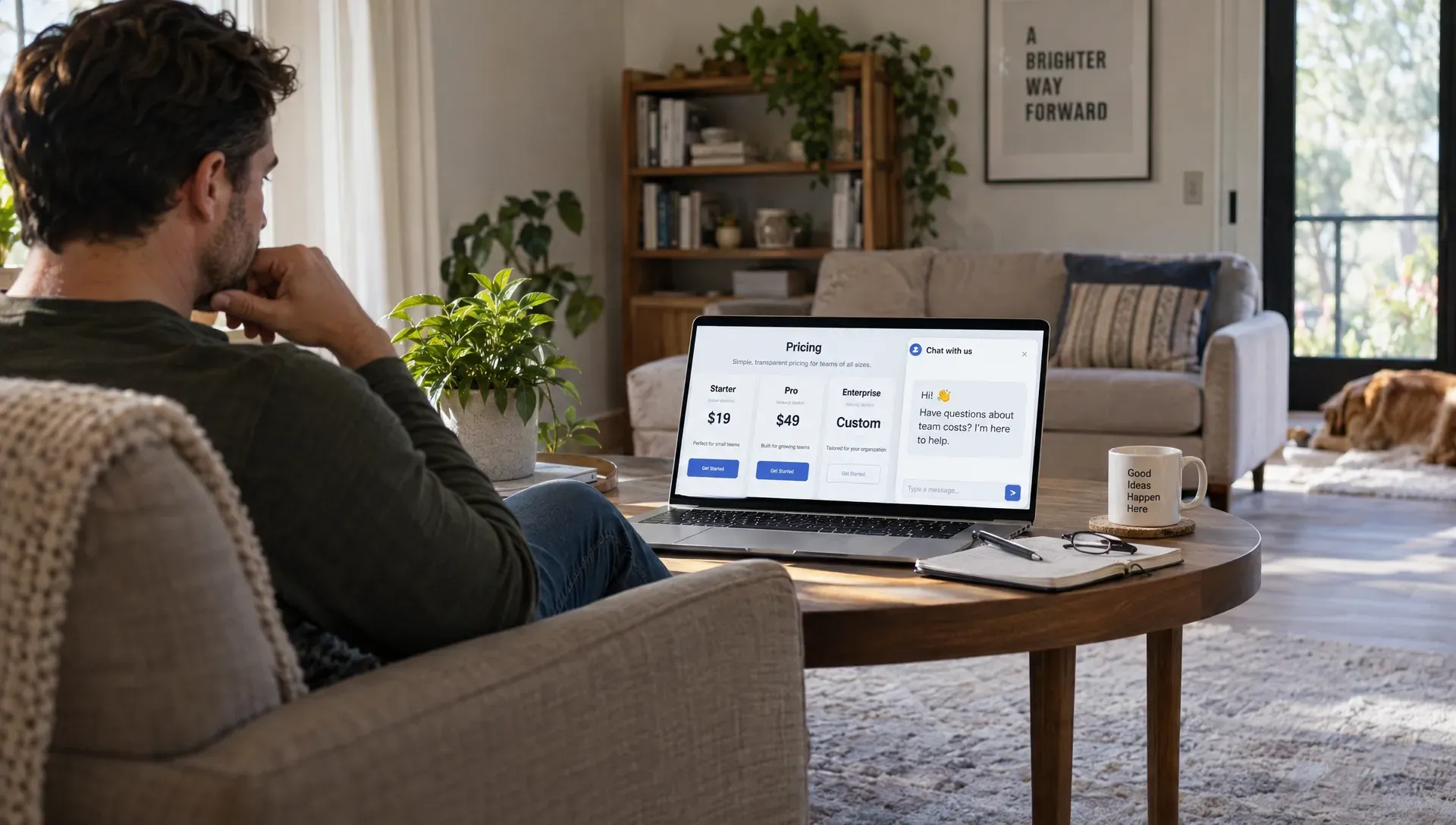
2. Pricing page: make uncertainty discussable
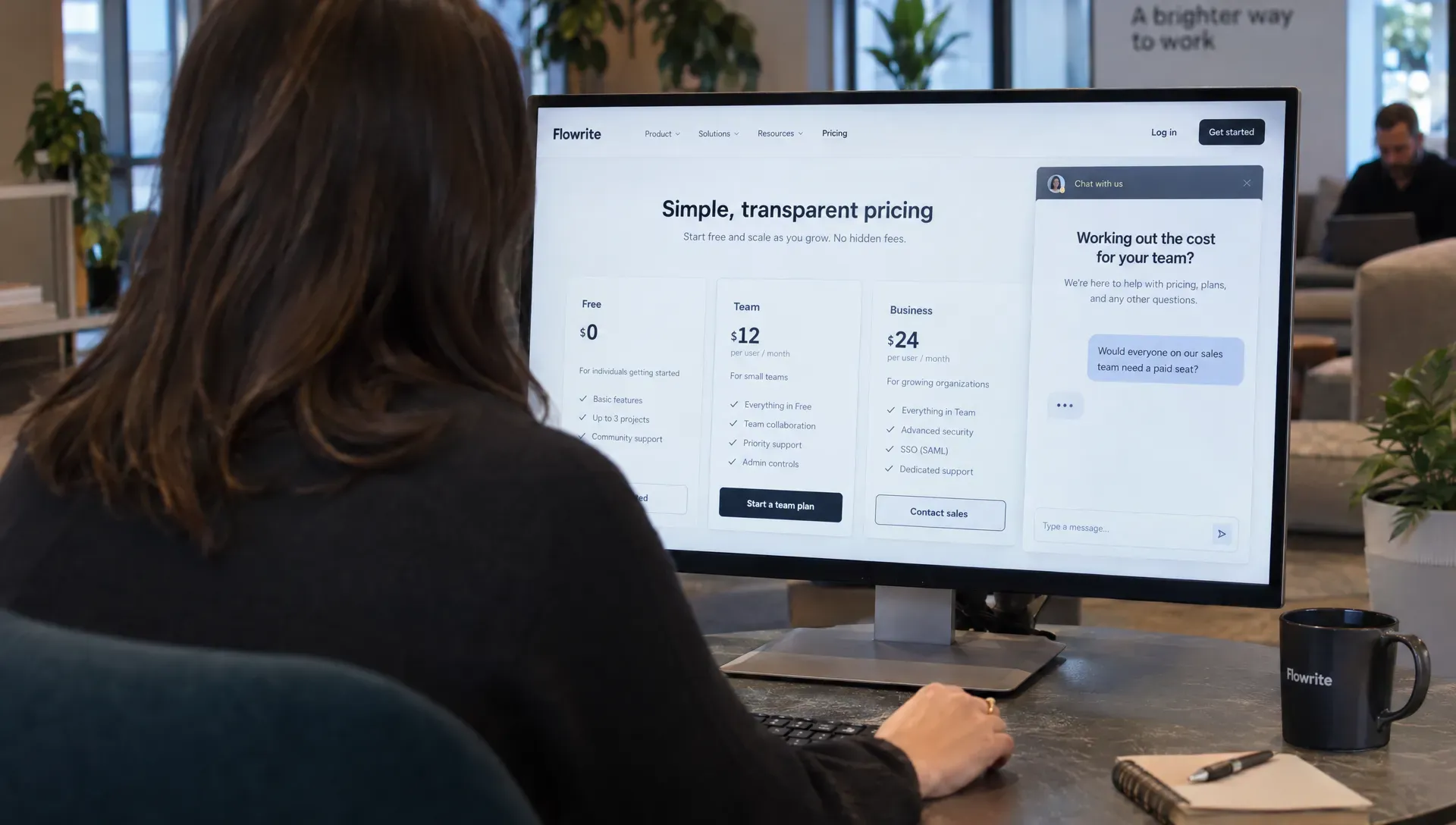
Greeting: “Working out the cost for your team? Ask me about plans, limits or what’s included.”
Pricing questions often concern the conditions around a price, not just the number. Buyers may need to understand seat requirements, usage allowances or whether a particular capability is included.
A useful buyer response might be: “Would everyone on our sales team need a paid seat?”
This greeting gives visitors permission to ask a practical question before committing to a conversation with sales. The answer should distinguish published terms from anything requiring a quote.
If pricing is not public, change the promise: “Want to understand what affects a quote? Tell me what you’re planning.” Do not suggest that the agent can calculate a firm price unless it has the information and authority to do so.
3. Integration page: start with the buyer’s existing tools
Greeting: “Need to know whether [product] works with your current tools? Tell me which ones.”
“Do you integrate with our CRM?” can hide several different requirements: reading contact records, writing activities, syncing ownership or supporting a particular workflow. The greeting should open that discussion without implying every connection is supported.
A useful buyer response might be: “We use Salesforce, but we need meeting notes attached to the right opportunity.”
The agent can then separate the named integration from the specific behavior the buyer needs. That distinction prevents a vague “yes” from creating an inaccurate expectation.
If the documentation does not answer the workflow question, acknowledge the gap and offer a human follow-up. Do not treat the presence of a software logo as proof of every possible integration capability.
4. Implementation page: invite the setup concern
Greeting: “Trying to work out what setup would involve? Tell me what you’d need to get running.”
Implementation concerns are often specific to the buyer’s situation. One team needs help understanding installation. Another needs to coordinate security review, data access and internal ownership.
A useful buyer response might be: “Could marketing manage this, or would our engineering team need to be involved?”
That question is much easier to answer usefully than “How soon are you buying?” It reveals a real evaluation issue without asking the visitor to declare purchase intent.
Keep the answer conditional where necessary. Explain documented setup steps and dependencies rather than promising a universal launch timeline. A greeting that invites an operational question should lead to operational detail, not a generic product pitch.
5. Comparison page: surface the nonnegotiable requirement
Greeting: “Comparing options? Tell me the requirement you can’t compromise on.”
A comparison-page visitor may already understand the category. Repeating your positioning statement does little to help them distinguish between products.
A useful buyer response might be: “We need answers that link back to approved documentation.”
This opening moves the conversation toward evaluation criteria. The agent can explain how your product addresses the requirement, cite relevant material and identify anything that needs confirmation.
Keep the comparison grounded in verifiable information. If the buyer asks about a competitor’s current capabilities, do not fill gaps with assumptions. Explain your own product accurately and suggest what the buyer should verify elsewhere.
The objective is to help them make a defensible decision, not to manufacture a reason every alternative is unsuitable.
6. Educational content: connect the article to a real task
Greeting: “Have a question about applying [topic] to your workflow? Tell me what you’re working on.”
Someone reading an educational article may not be evaluating software yet. A meeting invitation can arrive before they have even decided whether they have a problem worth solving.
A useful buyer response might be: “We’re rewriting our follow-up emails. How would this work when several reps share an account?”
This greeting respects the reason the visitor came to the page. It invites them to move from general advice to a specific situation.
Keep the first answer focused on their question. A product recommendation becomes relevant only if it genuinely helps with the task. Do not turn every content conversation into a qualification sequence simply because the visitor replied.
7. Demo page: leave room for one last question
Greeting: “Want to check something before booking? Ask me here, or I can help you find a meeting time.”
A visitor on a demo page may be close to scheduling but still have an unresolved concern. Making the calendar the only path forward can leave that concern untouched.
A useful buyer response might be: “Can the demo include someone who understands our security requirements?”
The greeting offers two legitimate next steps: get an answer or book a meeting. Neither requires pretending the buyer has already decided.
Only offer scheduling assistance if the agent can actually provide it. For requests involving particular people or expertise, distinguish confirmed availability from a request that someone still needs to coordinate.
Keep the greeting’s promise within the agent’s limits
The copy creates an expectation about the next response. “Ask me anything” is a poor choice when the agent can only explain published product information. “I can help you understand our plans” sets a narrower, more useful expectation.
Explicit boundaries matter beyond sales chat. For example, Cavalcade’s published storefront agent instructions distinguish read-only browsing options from checkout that requires human approval. The relevant lesson for a B2B website agent is to separate explaining an option from having permission to carry it out.
Your agent might explain standard contract terms without being authorized to approve a change. It might describe security documentation without being able to complete a custom review. Write greetings that respect those distinctions and provide a human handoff when needed.
Be equally careful with personalization. A returning-visitor greeting does not need to announce that someone has been recognized. “What would you like to pick up today?” is less presumptive than claiming to remember a conversation the agent cannot reliably access.
Test for useful questions, not just more chat opens
Start with a page that has a clear evaluation purpose, such as pricing or integrations. Compare two relevant greetings while keeping placement, appearance and triggering behavior consistent. Otherwise, you will not know whether the wording caused the difference.
Before launch, test the website agent with realistic buyer conversations. A greeting can perform well at inviting questions while exposing weak answers immediately afterward.
Use a small set of measures that distinguish activity from progress:
- Measure: Substantive question rate — What to examine: Conversations containing an identifiable buyer question — What it helps you understand: Whether the greeting invites more than a greeting back
- Measure: Answer quality — What to examine: Accuracy, relevance and appropriate acknowledgment of uncertainty — What it helps you understand: Whether the conversation fulfills the opening promise
- Measure: Appropriate next steps — What to examine: Relevant resources, human handoffs or accepted meeting offers — What it helps you understand: Whether buyers can move forward without being pushed
- Measure: Meeting quality — What to examine: Scheduled meetings that occur and match your qualification criteria — What it helps you understand: Whether booking activity is creating useful sales conversations
Define these measures before comparing results. A short “Do you support SSO?” can be more valuable than a long exchange with no clear buying question.
Also review whether the agent answers before asking for contact information. A visitor should not have to surrender an email address to discover that the assistant cannot help. When follow-up is useful, explain what will be sent and obtain the permission appropriate to that interaction. Starting a chat is not blanket permission for unrelated outreach.
Put the buyer’s question before the booking request
Choose one page, identify the uncertainty it should resolve and write a greeting that invites that question directly. Then check whether the answer is as useful as the invitation.
Nudge helps B2B sales teams answer website visitors’ questions using content-based answers with citations and book meetings, with additional agents supporting follow-up, returning prospects and sales preparation. Start with the conversation the buyer needs, then offer the next step that fits.
Frequently asked questions
What is a good opening message for a B2B chatbot?
A good opening names a question the visitor is likely to have on that page. “Working out which plan fits your team?” gives a pricing-page visitor a clearer starting point than “How can I help?”
Should the greeting ask visitors to book a meeting?
It can on a demo or contact page, but leave room for questions first. On educational pages, an invitation to discuss the visitor’s task is usually more aligned with their immediate purpose.
Should we use the same greeting across the whole website?
Use a consistent voice, but adapt the invitation to the page. Pricing, implementation and educational content support different conversations. Avoid personalization that relies on information the agent cannot verify.