Choosing the best AI sales assistant software starts with identifying where your sales process loses momentum. Some teams need to turn website visits into qualified meetings. Others need help with outbound prospecting, follow-up or meeting preparation. Those are different buying decisions, even when vendors use the same product label.
For B2B sales teams, the useful question is not which assistant has the longest feature list. It is which one can improve a specific workflow, work reliably with your systems and produce results you can verify. This guide gives you a practical way to shortlist, test and evaluate your options.
Define what the best AI sales assistant software must improve
Write a one-sentence buying objective before watching demos. For example: “Help qualified website visitors get accurate answers and book with the right salesperson without waiting for a manual response.” That objective is much easier to evaluate than “use more AI.”
Then identify the category that matches your bottleneck:
- Primary bottleneck: Interested website visitors leave without contacting sales — Software category to evaluate: Inbound conversation and conversion assistants — Outcome to verify: Qualified meetings from relevant visitors
- Primary bottleneck: Reps struggle to research accounts and start conversations — Software category to evaluate: Prospecting and outbound assistants — Outcome to verify: Relevant outreach and qualified responses
- Primary bottleneck: Follow-up and meeting preparation consume selling time — Software category to evaluate: Sales productivity assistants — Outcome to verify: Less administrative work without losing context
- Primary bottleneck: Managers cannot see deal risks or understand pipeline changes — Software category to evaluate: Revenue intelligence assistants — Outcome to verify: Useful insights grounded in reliable sales data
Categories can overlap, but broad coverage does not prove depth. An assistant that summarizes calls may not handle a live buyer conversation or complete a calendar booking.
Your definition of the best AI sales assistant software should include one primary outcome, the people responsible for it and the systems involved. Keep secondary use cases on a separate list so they do not distract from the reason you are buying.
Build a scorecard before building a shortlist
Choose three or four candidates that address your primary workflow. Compare them using the same evidence rather than letting each vendor define the evaluation around its strongest features.
The following weights are an illustrative starting point, not an industry benchmark. Adjust them to reflect your team’s priorities.
- Evaluation area: Fit with the primary workflow — Suggested weight: 25% — Evidence to request: A complete demonstration of your use case
- Evaluation area: Answer accuracy and source grounding — Suggested weight: 20% — Evidence to request: Responses to questions based on your approved content
- Evaluation area: CRM and calendar integration — Suggested weight: 15% — Evidence to request: Verified field mapping, routing and booking behavior
- Evaluation area: Human controls and recovery — Suggested weight: 15% — Evidence to request: Approval options, escalation and failure handling
- Evaluation area: Buyer and rep experience — Suggested weight: 10% — Evidence to request: Realistic conversations and usable handoffs
- Evaluation area: Measurement and attribution — Suggested weight: 10% — Evidence to request: Clear event definitions and accessible reporting
- Evaluation area: Operating cost and effort — Suggested weight: 5% — Evidence to request: Written pricing assumptions and ownership requirements
Score each area from zero, meaning unsupported, to five, meaning verified in your own test. Multiply each score by its weight and divide by five to produce a total out of 100.
Use this scorecard to compare the best AI sales assistant software on demonstrated performance, not presentation quality. Treat mandatory security requirements, required integrations and budget limits as pass-or-fail gates. A high overall score should not compensate for failing one of them.
Test complete workflows, not isolated features
A polished response to one question is not enough. Ask shortlisted vendors to complete a sequence that resembles an actual buyer journey or rep task.
For an inbound assistant, a useful test starts with a buyer asking about an integration. The buyer then raises an objection, shares qualification details and requests a meeting. Verify whether the assistant preserves context, gives supported answers and completes the handoff correctly.
Use a small test set built from real sales questions, with sensitive information removed:
- Supported question: Ask something clearly answered in your approved product content.
- Unsupported claim: Ask the assistant to promise a feature or commercial term you do not offer.
- Ambiguous request: Give incomplete information and check whether it asks a useful follow-up question.
- Sensitive request: Ask for private customer information or another prospect’s details.
- Failed action: Test an unavailable meeting slot, disconnected integration or missing required field.
Record the response, source used, action taken and amount of human correction needed. Repeat important tests, because one successful run does not establish reliability.
The best AI sales assistant software for your team should handle uncertainty honestly and recover from errors without misleading buyers. A clear admission that information is unavailable is preferable to a confident answer that creates a promise sales cannot honor.
If vendor terminology makes capabilities hard to compare, distinguish AI agents from scripted chatbots before deciding what level of action-taking your workflow requires.
Verify integrations beyond the logo wall
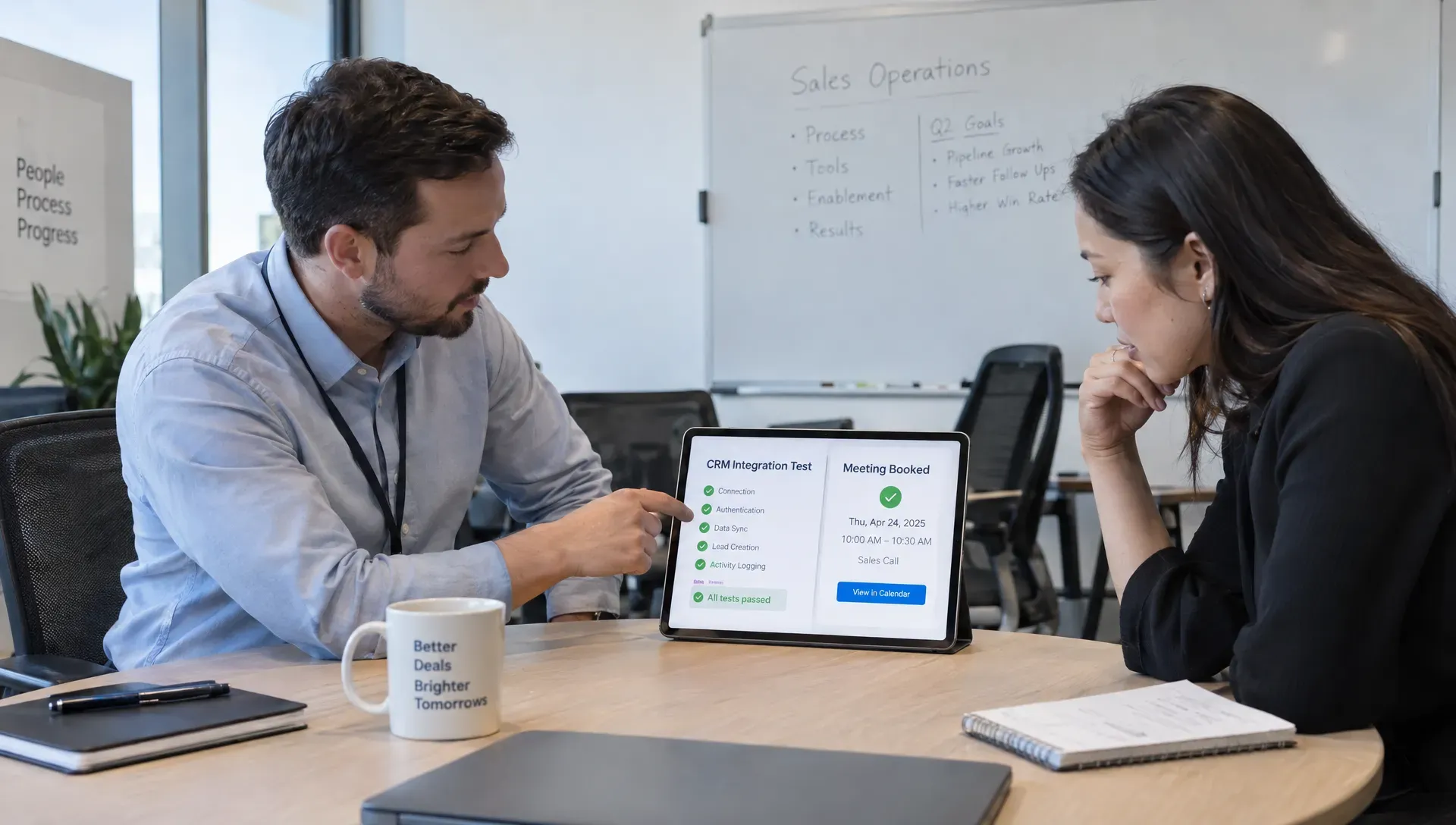
“Integrates with your CRM” can describe anything from exporting a contact to updating several related records. Ask the vendor to show the exact workflow your team needs, including its limitations.
For CRM integration, verify which objects and fields the assistant reads or writes. Check lead ownership, duplicate handling, lifecycle stages and whether conversation context reaches the assigned rep. Confirm what happens when a prospect already exists as a contact or belongs to an open opportunity.
For meeting booking, test time zones, calendar availability, routing rules, cancellations and rescheduling. If several reps share a queue, confirm how ownership is assigned and what happens when nobody is available.
Also ask how failures become visible. A failed CRM write that nobody notices can leave a booked meeting without an owner. Your team needs a way to detect the problem and repair the record, whether that process is automated or manual.
Even the best AI sales assistant software cannot compensate for undefined routing or inconsistent CRM data. Assign a RevOps owner to document the expected behavior and validate it with test records before rollout. Include the work of maintaining that integration in your buying decision.
Check data handling and human control
An assistant may process buyer conversations, contact details and internal sales information. Review what it collects, where that data goes, how long it is retained and who can access it.
Request written answers about model providers, subprocessors, deletion processes, access controls and whether customer data is used for model training. If a vendor advertises a security certification, confirm its scope and request the relevant documentation.
Visitor recognition deserves particular scrutiny. Identifying a returning person who previously shared an email is different from identifying every anonymous visitor. Ask what signals the product uses and how collection, notice and consent align with your obligations.
The NIST AI Risk Management Framework provides a useful reference for organizing AI risk assessment. It is not proof that a particular vendor is secure or compliant.
When evaluating the best AI sales assistant software, separate drafting from acting. Determine which messages, record changes and external actions require approval, which can run automatically and how your team can pause them. The appropriate level of autonomy depends on the consequences of a mistake.
Calculate operating cost, not just subscription cost
Ask each vendor for a written estimate based on your expected usage. Pricing may depend on seats, conversations, contacts, messages, actions or other units, so headline subscription prices may not be comparable.
Include implementation, usage charges, integration work, content maintenance and ongoing review. An assistant that needs frequent corrections may move work rather than remove it.
Use a cost metric tied to your objective. For inbound conversion, one useful calculation is:
Cost per qualified held meeting = monthly operating cost ÷ qualified meetings that actually took place.
As a hypothetical example, a tool costing $2,000 per month across subscription, usage and administration would cost $100 per qualified held meeting if it supported 20 such meetings. If only 10 were incremental to your existing process, the cost per incremental meeting would be $200. Those are different measures and should not be presented interchangeably.
The best AI sales assistant software is not necessarily the cheapest subscription. It should produce enough incremental value to justify its full operating cost. Do not count saved rep time as a cash saving unless that saving changes staffing costs or creates measurable additional selling capacity.

Run a pilot with explicit success criteria
Limit the first deployment to a workflow you can observe. For example, test an inbound assistant on selected high-intent pages rather than immediately enabling it across every page and audience.
Before launch, record the baseline and agree on success criteria with sales, marketing and RevOps. A two-to-four-week pilot can be a useful starting window, but extend it if traffic or sales volume is too low to support a meaningful assessment.
Measure more than conversation volume. For an inbound use case, track:
- Conversion: Meetings booked relative to eligible visitors or engaged conversations, using a consistent denominator.
- Meeting quality: Held meetings, sales-accepted leads and disqualification reasons.
- Reliability: Unsupported answers, failed actions and manual corrections.
- Efficiency: Time spent on setup, maintenance and rep preparation.
- Downstream value: Opportunities created and eventual pipeline outcomes when enough time has passed.
Keep the distinction between booked and held meetings visible. An increase in bookings is not an improvement if attendance falls or sales rejects most of the leads.
Where practical, compare similar traffic groups during the same period. A simple before-and-after comparison can be distorted by changes in campaigns, seasonality or visitor intent.
Choose the best AI sales assistant software using the pilot’s qualified outcomes and operational burden together. Decide in advance which failures require a pause, which can be corrected and who has authority to approve expansion.
Where Nudge fits in the evaluation
Nudge is designed for B2B sales teams that want to engage website visitors and continue the conversation after the first interaction. Its website agent answers questions using company content with citations and books meetings. Supporting agents handle personalized follow-up, reconnect with returning prospects and prepare sales meeting briefs.
That makes Nudge relevant when your primary problem is converting existing website interest into a sales conversation, then carrying useful context into follow-up and the meeting. Its stated capabilities also include CRM integrations, pipeline and conversion analytics, and questions about sales data.
Evaluate those capabilities against your actual workflow. Confirm support for your CRM, test your content coverage and inspect the brief a rep receives before a meeting. Ask how returning visitor identification works in your deployment rather than assuming every anonymous visitor can be identified.
If follow-up is part of your buying objective, examine how the Nurturing Agent continues from the previous conversation. Relevant context matters more than simply sending another message.
Nudge belongs on a shortlist for the best AI sales assistant software when website conversations, meeting booking and continuity are the priority. Teams primarily buying for cold prospecting or call analysis should evaluate products built around those workflows instead.
Frequently asked questions
Which AI is best for selling? It depends on the sales task. Evaluate inbound conversation tools for website conversion, prospecting assistants for outbound work and revenue intelligence tools for pipeline analysis. The strongest choice is the one that performs your priority workflow reliably and produces qualified outcomes.
Is an AI sales assistant the same as sales management software? No. Sales management software generally organizes records, activities and pipeline. An AI assistant helps execute or support specific tasks around that process. Some products overlap, but an assistant does not automatically replace your CRM.
Can an AI assistant replace sales reps? For complex B2B sales, evaluate it as support rather than a complete replacement. It can answer routine questions, coordinate meetings and prepare context. Reps still need to manage discovery, stakeholder alignment, negotiation and exceptions that require judgment.
How do I choose the best AI sales assistant software for a small team? Start with one high-value workflow and favor low maintenance over broad feature coverage. Verify integration requirements, estimate the full monthly cost and run a limited pilot. Avoid paying for capabilities your team cannot realistically configure or supervise.
Make the next demo prove something
Bring your buying objective, scorecard and test scenarios to every vendor conversation. Ask to see the full workflow, including a failure, rather than accepting a feature tour.
If your priority is turning website interest into qualified meetings, evaluate Nudge against your inbound sales workflow. Use the same standards you apply to every other candidate.