A qualified visitor can understand your product, recognize a real need and still leave without taking the next step. Helping that person book a meeting requires more than a calendar link. They need a reason to talk, confidence that the conversation will be useful and a scheduling path that does not make them repeat themselves.
For B2B sales teams, the goal is not maximum calendar volume. It is more attended conversations with people your team can genuinely help. Here is how to design your website around that outcome.
Define the meeting before designing the button
“Talk to sales” tells visitors which department they will encounter. It does not tell them what they will get.
Before changing your booking flow, define three things: who the conversation is for, what happens during it and what the buyer should leave knowing. Match that promise to what your sales team can actually deliver.
Different visitors may need different conversations:
- Visitor’s situation: Exploring whether the product fits — Useful meeting offer: Use-case discussion — Concrete takeaway: An initial assessment of fit and limitations
- Visitor’s situation: Comparing shortlisted vendors — Useful meeting offer: Focused product walkthrough — Concrete takeaway: Answers about the workflows that matter to them
- Visitor’s situation: Evaluating deployment — Useful meeting offer: Implementation discussion — Concrete takeaway: Clarity on requirements, dependencies and next steps
You do not necessarily need three separate calendars. You do need language that connects the invitation to the buyer’s task.
For example, a button labeled “Discuss your workflow” could sit beside this supporting copy: “Walk through your current process with our team and identify whether our product fits.” Add the meeting duration once your team has agreed on it.
Visitors are more likely to book a meeting when they understand its value before they surrender their time. Avoid promising a technical assessment if the first call is actually a general discovery conversation.
Place invitations beside the questions that create intent
A persistent header button is useful, but it cannot carry the entire booking experience. Someone reading an integration page has a different concern from someone comparing plans.
Place contextual invitations where visitors have enough information to consider a conversation:
- Pricing pages: Offer help assessing the right plan or commercial fit, with honest information about what the call covers.
- Integration pages: Invite visitors to discuss compatibility or requirements, without implying that every requested integration is supported.
- Product and use-case pages: Connect the invitation to the workflow being explained.
- Customer stories: Offer a discussion about applying a similar approach, without promising the same results.
Keep one primary next step in each context. A page with competing invitations to request a demo, contact sales, start a trial and schedule a consultation makes visitors work out your sales process themselves.
Also provide an alternative for people who are not ready. Documentation, product details or a relevant case study may be the right next step. Forcing every visitor toward sales can increase low-intent bookings while frustrating good prospects who are still researching.
The invitation to book a meeting should feel like a continuation of the page, not an interruption. Use the same problem language in the page copy, CTA and scheduling introduction so buyers know they are still on the right path.
Qualify for fit without turning the visit into an interview
Qualification should help determine the appropriate next step. It should not collect every detail a salesperson might eventually want.
Start by separating routing requirements from discovery questions. Routing requirements determine whether someone should meet your team and which person should attend. Discovery questions deepen the conversation but often do not need answers before scheduling.
Depending on your business, essential routing information might include the visitor’s intended use case, organization size or operating region. Budget, procurement details and a complete technology inventory may be better discussed later.
Ask yourself whether each required answer changes an immediate decision. If not, consider removing it from the booking path.
Avoid treating weak signals as automatic disqualifiers. A personal email address does not prove that someone lacks purchasing authority. A small company may fit one offering but not another. Your criteria should reflect your actual customer profile rather than assumptions built into a form.
A qualified visitor should be able to book a meeting after providing the minimum information needed to route the conversation correctly. If there is no fit, explain the limitation and offer a useful alternative where one exists.
For conversational qualification, answer the visitor’s question before asking another one. A buyer who asks about data residency should not have to complete a company profile just to learn whether you support their requirements.
Let visitors book a meeting without starting over
A common source of friction is the handoff between interest and scheduling. The visitor explains their problem in a chat, follows a link, completes a form and then receives an email asking them to choose a time.
Each step creates another opportunity to stop. More importantly, repeated questions signal that the context they already shared has been lost.
Design one continuous path: answer the buying question, collect essential routing information, present the appropriate scheduling option and confirm the appointment. Keep existing answers attached to the handoff wherever your systems support it.
This does not mean every website needs a conversational interface. A short form followed directly by scheduling can work well when the offer is straightforward. The right choice depends on how much uncertainty buyers need to resolve before committing.
For products with variable requirements, a conversation can help visitors establish fit before opening a calendar. Nudge supports website conversations, content-based answers with citations and automated meeting booking. Those capabilities can connect questions and scheduling without making a static form the only entry point.
If your current process ends with “We’ll get back to you,” examine whether that delay is necessary. The distinction between a request and a confirmed appointment matters, as explored in this guide to where demo request forms create friction.
Make the calendar easy to use and honest about availability
Once someone reaches scheduling, the interface should remove uncertainty rather than introduce new decisions.
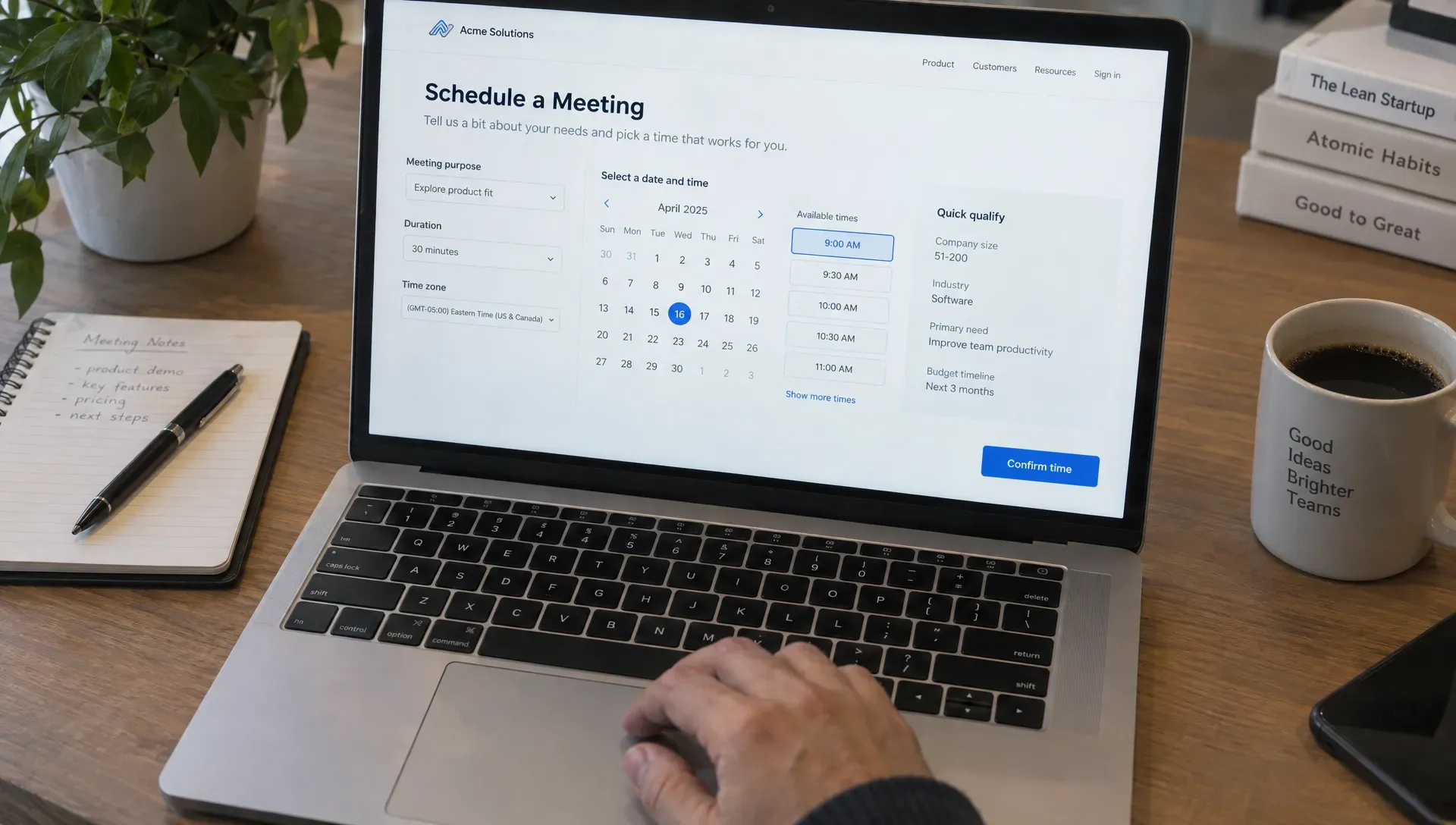
Show the meeting duration, the detected time zone and a clear way to change it. Visitors may be traveling, using a corporate VPN or arranging a call for colleagues elsewhere. Never assume the detected zone is correct.
Offer accurate availability based on the relevant calendars. If you use routing rules, test them against real scenarios such as leave, blocked calendars, regional coverage and different meeting types. A calendar that appears functional can still send buyers to the wrong person.
Test the experience on a phone and with keyboard navigation. Dates and time slots need clear labels, visible focus states and usable error messages. Avoid forcing visitors to create an account simply to schedule a sales conversation unless there is a genuine requirement.
When someone is ready to book a meeting, hidden requirements should not appear at the final step. Explain any necessary email verification or additional approval before they invest time selecting a slot.
If no suitable times are available, provide a fallback. That could be a request for preferred times or an alternate contact route. Explain whether the request is confirmed or still awaiting a response. Never show a success message that implies an appointment exists when it does not.
Confirm the appointment and carry the context forward
The booking is not finished when a visitor clicks a time slot. It is finished when both sides know what will happen and have the details they need.
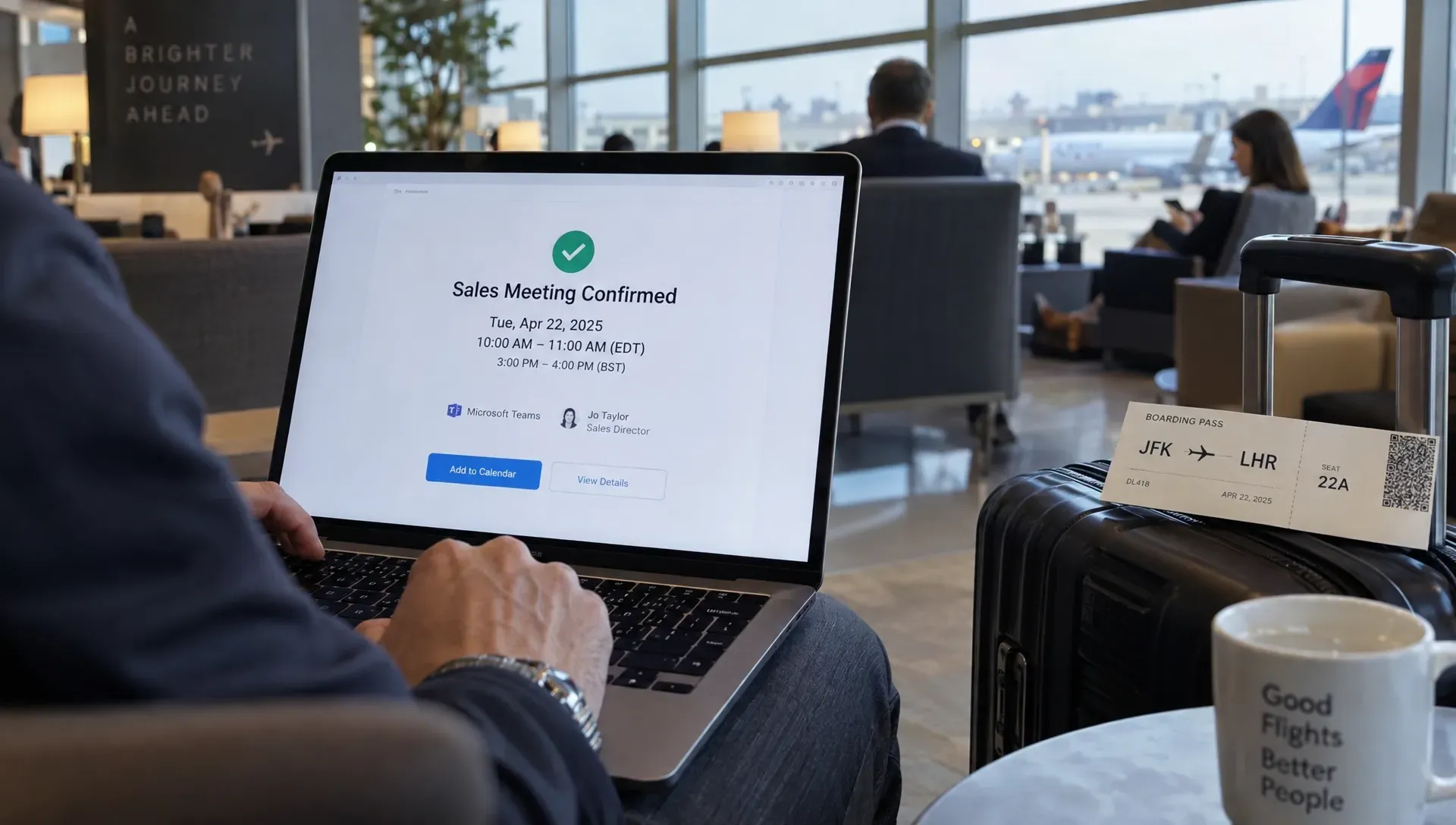
The confirmation should show the date, time zone, duration, joining instructions and a short agenda. Include working cancellation and rescheduling options so a change of plans does not become an unexplained absence.
The sales handoff deserves equal attention. Pass along the visitor’s stated problem, relevant questions and any commitments made during the website interaction. Distinguish information the visitor supplied from assumptions or automated interpretations.
Someone who chooses to book a meeting should not have to repeat the entire conversation when the call begins. A concise lead brief gives the rep a starting point while leaving room to verify details.
For visitors who leave before scheduling, follow-up should address the unresolved issue rather than repeat a generic invitation. If someone asked about an integration, follow up on that question. Nudge’s Nurturing Agent uses conversation context for follow-up, including situations where visitors leave without booking or miss a meeting. Keep outreach appropriate to the contact permissions you have.
Measure the full path, not just calendar activity
A higher booking count can conceal worse sales outcomes. More meetings are not an improvement if attendance falls or reps spend their time with visitors outside your customer profile.
Track the journey in stages so you can identify where the experience breaks:
- Metric: Invitation engagement — Suggested calculation: Visitors who activate a meeting CTA ÷ visitors shown that CTA — What it helps diagnose: Whether the offer and placement attract interest
- Metric: Scheduling completion — Suggested calculation: Confirmed bookings ÷ scheduling starts — What it helps diagnose: Friction in qualification or calendar selection
- Metric: Attendance rate — Suggested calculation: Attended meetings ÷ booked meetings due to occur — What it helps diagnose: Confirmation quality and strength of commitment
- Metric: Qualified meeting rate — Suggested calculation: Attended meetings meeting agreed criteria ÷ attended meetings — What it helps diagnose: Whether targeting and qualification are working
- Metric: Opportunity creation — Suggested calculation: Meetings that produce an opportunity ÷ attended meetings — What it helps diagnose: Whether conversations are moving into a sales process
Define each event and denominator before comparing results. Exclude internal tests and duplicate bookings. Use consistent reporting windows, and allow enough time for scheduled meetings to take place before judging attendance.
Segment results by page, traffic source, device and meeting type when volume permits. If mobile visitors rarely book a meeting but desktop visitors do, inspect the mobile scheduling experience before rewriting your entire offer.
Change one major element at a time where practical. A clearer meeting promise, fewer required fields or a better availability fallback each tests a different problem. Evaluate booking volume alongside attendance and fit, not in isolation.
Frequently asked questions
What is the difference between requesting a meeting and booking one? A request tells your team that someone wants contact. A booking reserves a specific time and provides confirmation. If your process requires manual approval, make that status clear rather than presenting the request as a confirmed appointment.
Should visitors have to provide a work email? Require an email address if it is needed to send the invitation, but decide carefully whether to reject personal domains. Use your actual qualification criteria rather than assuming the email domain alone determines fit.
How many questions should appear before the calendar? There is no universal number. Keep the questions that change eligibility, routing or necessary preparation. Move the rest into the conversation, and check whether each required field earns its place.
Should every visitor be encouraged to book a meeting? No. Buyers who need basic information may be better served by documentation or a direct answer. Reserve the strongest sales invitation for situations where a conversation can resolve a meaningful buying question.
Connect buyer questions to the next useful step
Start by reviewing one high-intent page from arrival through confirmation. Check whether the meeting promise is clear, qualification is proportionate and the sales rep receives the context already shared.
If disconnected questions, forms and follow-up emails are slowing that path, explore Nudge’s website conversations and meeting booking. Give qualified visitors a useful answer and a direct next step, then measure whether those appointments become productive sales conversations.